
You open your browser, type in the address of New Dialogys, and the page remains silent. No explicit error, no clear message, just blocked access. For a mechanic in the middle of a job, this situation turns a routine diagnosis into a headache. Dialogys Renault centralizes technical documentation, exploded views, and part references for Renault, Dacia, and Alpine vehicles. When the platform refuses to respond, it’s essential to quickly identify the cause of the blockage.
Time Credit Exhausted on New Dialogys: The Most Common False Blockage
Since the transition to 100% online, New Dialogys operates with time-based billing. You purchase access by the hour, day, or through a limited package. Once this credit is consumed, the session cuts off, sometimes in the middle of a parts search.
The natural reflex is to think of a technical failure. In reality, the session stops because the purchased time has expired. No specific alert message distinguishes this case from a real server problem.
Before looking further, check the balance of your package in your client area. If the credit is zero, simply recharge to regain access. This diagnosis takes less than a minute and avoids wasting time on unnecessary manipulations.
Several independent garages have already encountered this problem and share their feedback. To understand the different scenarios, you can consult the solutions for accessing Dialogys Renault documented by professionals facing the same situations.

Professional Dialogys Account: Check Your Access Rights
New Dialogys is no longer a downloadable software that you install on a workstation. The last downloadable version dates back to late 2019 (version 4.90). Since then, access requires an active professional account with a valid SIRET.
Are you an independent mechanic? The manufacturer homologation rules have evolved. A profile that worked two years ago may be blocked if your contract is no longer compliant with the new conditions. The portal checks your country of operation, your professional status, and the validity of your contract.
Points to Check on Your Account
- The SIRET associated with your profile must correspond to an active automotive repair activity. A change of status or an unupdated deregistration blocks authentication.
- The access contract to New Dialogys must be valid. A renewal oversight cuts off access without explicit notice.
- The country declared when creating the account must be on the list of countries authorized by Renault. A move or transfer of headquarters can lead to silent rejection.
If any of these elements are outdated, the platform will refuse the connection. Contact Renault support to update your profile before attempting other manipulations.
Renault Security Gateway and Non-Homologated Diagnostic Tools
Have you noticed that some functions of Dialogys remain inaccessible even after a successful login? On recent Renault and Dacia vehicles, a module called Security Gateway (SGW) protects the vehicle’s embedded data.
This digital lock filters the diagnostic tools authorized to communicate with the ECU. If your equipment is not homologated by Renault, certain programming or advanced diagnostic operations will simply be denied, even if your Dialogys account is perfectly valid.
Homologation of the Diagnostic Tool
The “Renault Homologation” license is required for third-party equipment like those from Launch Europe. Without this license, the tool can connect to the vehicle but the Security Gateway blocks writes and certain reads.
The problem is often confused with a malfunction of Dialogys. In practice, the online platform works correctly; it is the communication between the physical tool and the vehicle that is restricted.
To lift this blockage, there are two options:
- Acquire the Renault homologation license for your third-party diagnostic tool. Your tool provider can guide you on the procedure.
- Use an official Renault tool (CLIP or equivalent) that natively has full access rights to the Security Gateway.
- Check that the firmware of your diagnostic tool is up to date, as updates sometimes include new SGW access certificates.
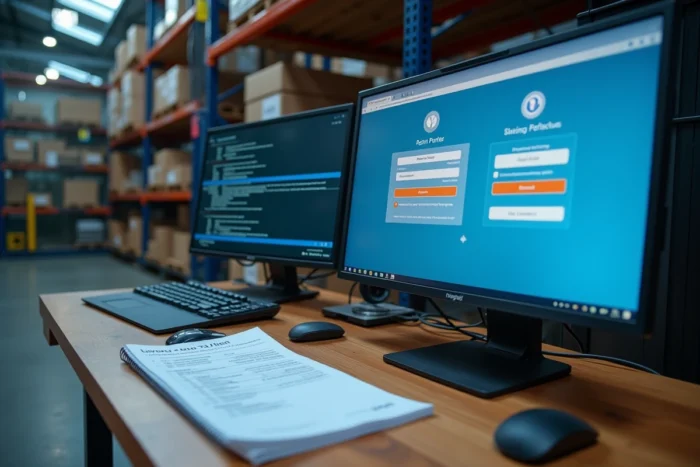
Browser Blocking and Cache: Technical Causes on the Workstation Side
New Dialogys runs in a web browser. Like any online application, it is sensitive to the local settings of your workstation. A corrupted cache, an overly aggressive ad blocker, or an outdated browser can cause a blank screen or a connection loop.
Clear your browser’s cache and cookies, then try accessing again. This manipulation resolves a significant portion of the blockages reported on professional forums.
If the problem persists, test with another browser. Chrome, Firefox, and Edge handle security certificates differently. A browser that silently refuses a Renault certificate will prevent the platform from loading without displaying an explicit message.
Also, consider temporarily disabling your VPN or corporate proxy. New Dialogys checks the geographical location of the connection, and a VPN routing traffic through a non-authorized country will cause an immediate access denial.
The transition from the old downloadable Dialogys to the online portal has multiplied the technical friction points. Each blockage has an identifiable cause, whether it’s the package, the account, the diagnostic tool, or the browser. Proceeding by elimination, starting with the time credit and ending with network settings, allows you to regain access to Renault’s technical documentation without waiting for a response from support.